Read: 06 - JS Object Literals; The DOM
JS Object Literals
WHAT IS AN OBJECT?
Objects group together a set of variables and functions to create a model of a something you would recognize from the real world. In an object, variables and functions take on new names.
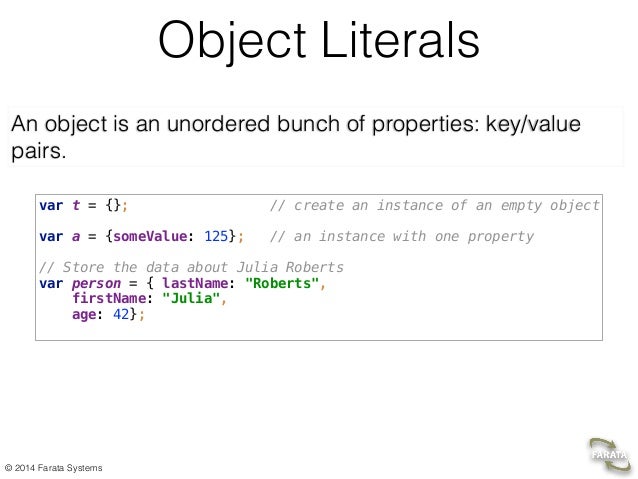
If a variable is part of an object, it is called a property. Properties te ll us about the object, such as the name of a hotel or the number of rooms it has. Each individual hotel might have a different name and a different number of rooms.
-
IN AN OBJECT: VARIABLES BECOME KNOWN AS PROPERTIES If a variable is part of an object, it is called a property. Properties tell us about the object, such as the name of a hotel or the number of rooms it has. Each individual hotel might have a different name and a different number of rooms.
-
IN AN OBJECT: FUNCTIONS BECOME KNOWN AS METHODS If a function is part of an object, it is called a method. Methods represent tasks that are associated with the object. For example, you can check how many rooms are available by subtracting the number of booked rooms from the total number of rooms.
# DOM
## What is the DOM ? ### The Document Object Model (DOM) specifies how browsers should create a model of an HTML page and how JavaScript can access and update the contents of a web page while it is in the browser window.
## DOM trees have four types of nodes:
- document nodes
- element nodes
- attribute nodes
- text nodes.
### The DOM is neither part of HTML, not part of JavaScript; it is a separate set of rules. It is implemented by all major browser makers, and covers two primary areas:
- MAKING A MODEL OF THE HTML PAGE
- ACCESSING AND CHANGING THE HTML PAGE
THE DOM TREE IS A MODEL OF A WEB PAGE
Asa browser loads a web page, it creates a model of that page. The model is called a DOM tree, and it is stored in the browsers’ memory. It consists of four main types of nodes.
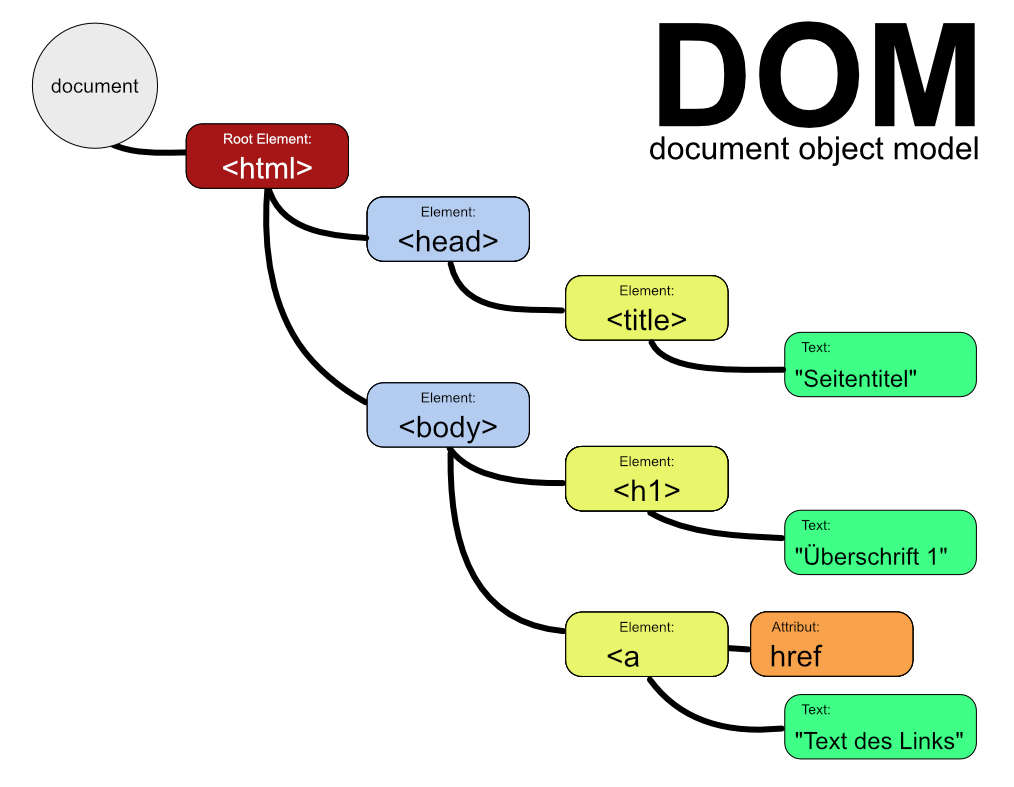
DOM tree have two sectio
-
ATTRIBUTE NODES : The opening tags of HTML elements can carry attributes and these are represented by attribute nodes in the DOM tree.
-
TEXT NODES : Once you have accessed an element node, you can then reach the text within that element. This is stored in its own text node.