CLASS-03
Read: 03 - HTML Lists, CSS Boxes, JS Control Flow
HTML provides us with three different types of lists:
- Ordered lists are lists where each item in the list is numbered. The ordered list is created with the <ol> element. Each item in the list is placed between an opening <li> tagand a closing </li> tag. You can put a second list inside an <li> element to create a sublist or nested list.
- Unordered lists are lists that begin with a bullet point. The unordered list is created with the <ul> element. Each item in the list is placedbetween an opening <li> tag and a closing </li> tag.
- Definition lists are made up of a set of terms along with the definitions for each of those terms. The definition list is created with the <dl>element and usually consists of a series of terms and their definitions. Inside the <dl>element you will usually see pairs of <dt> and <dd> elements. the <dt> is used to contain the term being defined, and <dd> is used to contain the definition.
look to the picture to understand
.png)
Chapter 13 Boxes
- box dimensisons
- width,height
- limiting width
- min-width , max width
- limiting height
- main-height , max-height
- overlowing content
- overflow
- Border Width
- border-width
- Border Style
- border-style
- Border Color
- border-color
- Shorthand
- border
- Padding
- padding
- Margin
- margin
- Change inline/Block
- display
- Hiding Boxes
- visibility
- Border Images
- border-image
- Box Shadows
- box-shadow
- Rounded Corners
- border-radius
- Elliptical Shapes
- border-radius

BORDER , MARGIN & PADDING
Every box has three available properties that can be adjusted to control its appearance :
- BORDER Every box has a border (even if it is not visible or is specified to be O pixels wide). The border separates the edge of one box from another.
- MARGIN Margins sit outside the edge of the border. You can set the width of a margin to create a gap between the borders of two adjacent boxes.
- PADDING Padding is the space between the border of a box and any content contained within it. Adding padding can increase the readability of its contents.
notes
- CSS treats each HTML element as if it has its own box.
- You can use CSS to control the dimensions of a box.
- You can also control the borders, margin and padding for each box with CSS.
- It is possible to hide elements using the display and visibility properties.
- Block-level boxes can be made into inline boxes, inline boxes made into block-level boxes.
- Legibility can be improved by controlling the width of boxes containing text and the leading.
- CSS3 has introduced the ability to create image borders and rounded borders.
Chapter 2 Basic JavaScript Instructions
ARRAYS
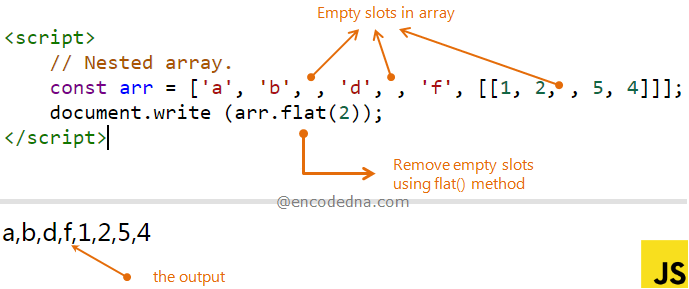
- An array is a special type of variable. It doesn’t just store one value; it stores a list of values.
- You should consider using an array whenever you are working with a list or a set of values that are related to each other.
SWITCH STATEMENTS
A switch statement starts with a variable called the switch value. Each case indicates a possible value for this variable and the code that should run if the variable matches that value.

LOOPS
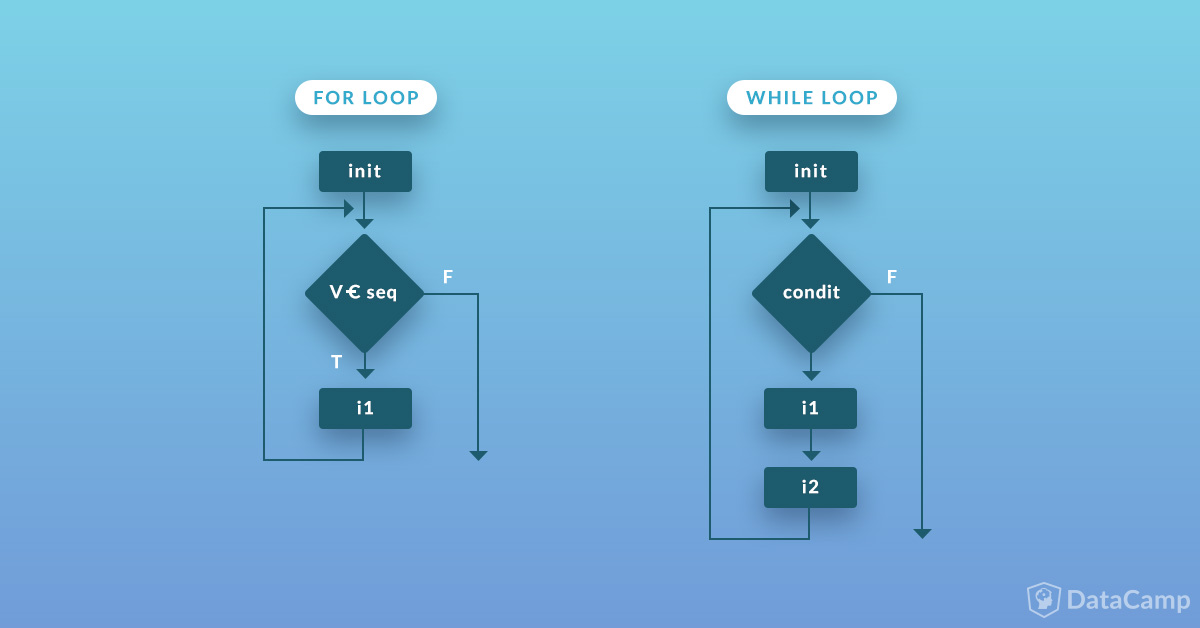
loops will check condition if it returns true a code block will run then the condition will be checked again and will run the code block again if its true and will not stop until the condition will returns a false
#### TYPES OF LOOPS